
Conversion
The Psychology Behind “Click Here” vs Better CTA Buttons
You’ve seen this button everywhere:
Let’s start with something simple…
You’ve seen this button everywhere:
👉 “Click Here”
It’s generic. It’s vague. And in 2026… it’s costing you clicks.
Your call-to-action (CTA) buttons are one of the most important parts of your website. They guide users, drive decisions, and ultimately determine whether someone becomes a client.
So why do so many websites still get them wrong?
Let’s break it down.
🧠 What a CTA Button Actually Does
A CTA button isn’t just a button.
It’s a decision trigger .
When someone lands on your site, they’re subconsciously asking:
- What should I do next?
- Is this worth my time?
- Can I trust this business?
Your CTA answers all three.
🚫 Why “Click Here” Doesn’t Work
“Click Here” fails for one simple reason:
👉 It doesn’t tell users what happens next.
There’s no clarity. No benefit. No motivation.
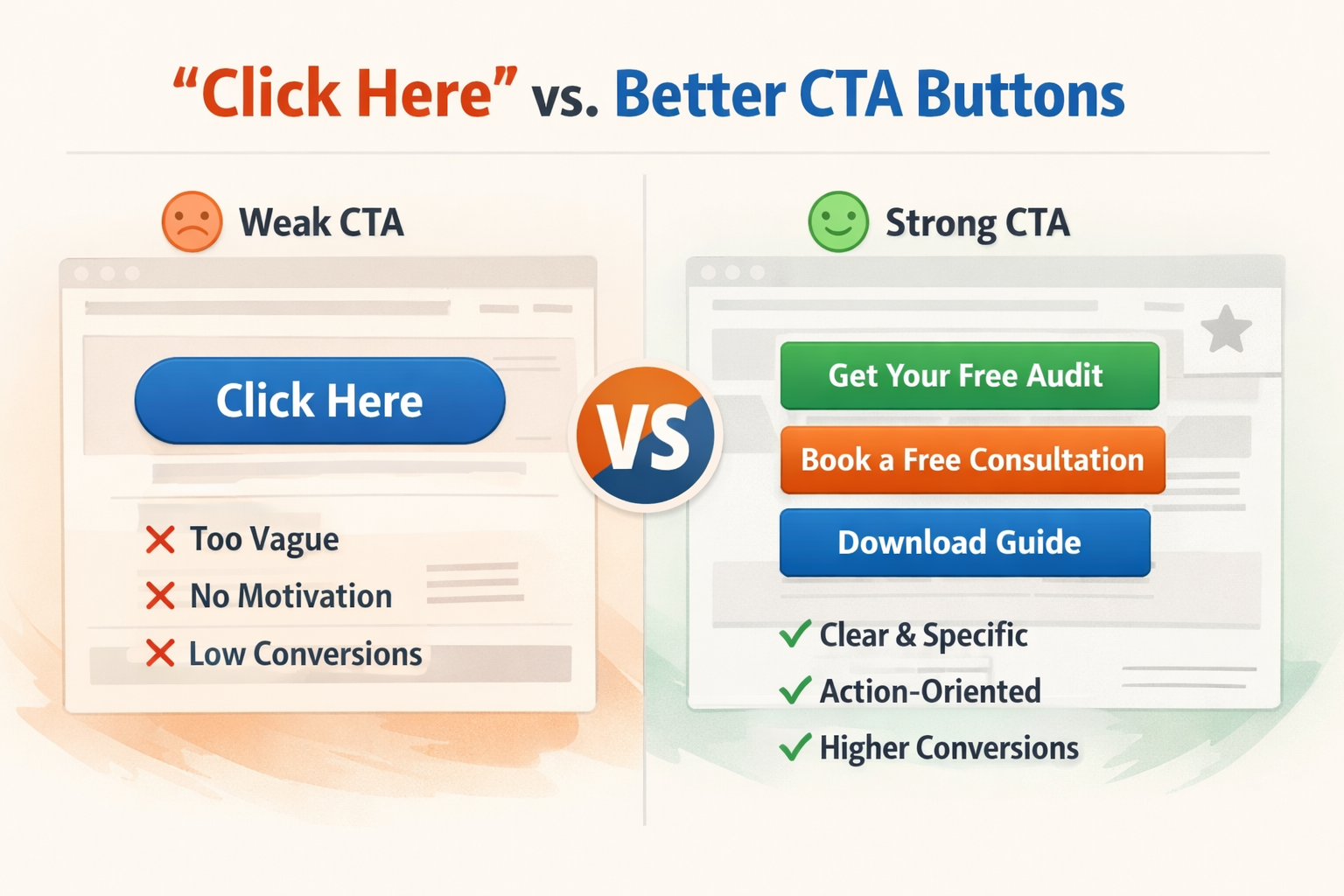
Compare this:
- ❌ Click Here
- ✅ Get Your Free Website Audit
- ✅ Book Your Free Consultation
- ✅ See Pricing
One is passive. The others are action-driven and specific .
⚡ The Psychology Behind High-Converting CTAs
Great CTA buttons tap into human behavior.
Here’s how:
1. Clarity Beats Creativity
People don’t want to guess.
👉 The clearer your CTA, the higher your conversions.
Example:
- ❌ “Explore”
- ✅ “View Website Packages”
2. Action-Oriented Language
Start with a verb.
- Get
- Start
- Book
- Download
👉 This creates momentum.
3. Value First , Not Effort
Users care about what they gain, not what they have to do.
- ❌ “Submit”
- ✅ “Get My Free Checklist”
4. Reduce Friction
People hesitate when something feels like work.
👉 Good CTAs feel easy and low-risk.
- “No commitment”
- “Takes 2 minutes”
- “Free download”
5. Visual Contrast Matters
Even the best wording won’t work if the button is hard to see.
Your CTA should:
- Stand out from the background
- Be easy to tap (especially on mobile)
- Have enough spacing around it
🔥 CTA Examples That Actually Work
Here are some strong CTA upgrades:
- “Click Here” → “Get Started Today”
- “Learn More” → “See How It Works”
- “Submit” → “Send My Request”
- “Contact Us” → “Book a Free Call”
👉 Notice the difference?
They’re specific, clear, and benefit-driven.
📱 Don’t Forget Mobile Users
Most users are on their phones.
That means your CTA should be:
- Large enough to tap
- Positioned where it’s easy to reach
- Not buried under content
👉 If users have to search for your CTA, you’ve already lost them.
⚠️ Common CTA Mistakes to Avoid
- Too many buttons competing for attention
- Weak or generic wording
- No clear next step
- Buttons that blend into the design
- Overwhelming users with choices
👉 One page = one primary action.
⚡ Quick CTA Fix Checklist
Ask yourself:
- Does my CTA clearly say what happens next?
- Does it highlight value?
- Is it easy to find and click?
- Is there only one main action?
If not, it’s time for an upgrade.
💡 Real Talk
You don’t need more traffic.
You need better decisions from the traffic you already have.
And your CTA plays a huge role in that.
🚀 Final Thoughts
Your website should guide users, not confuse them.
A strong CTA button is like a clear signpost:
👉 “Go here next.”
Make it obvious. Make it easy. Make it worth it.
👉 Want Better Conversions Without Redesigning Everything?
Sometimes small changes make the biggest difference.
At Twist Web Studio, we focus on:
- Conversion-focused design
- Accessibility-first experiences
- Strategic user flow
👉 If your website isn’t converting, let’s fix that.
Visit: www.twistwebstudio.com