
Website Accessibility
Accessible Event Pages: How to Promote Events Everyone Can Attend
Learn how to make event pages easier to use with clear details, accessible registration, accommodation requests, calendar links, and mobile-friendly listings.
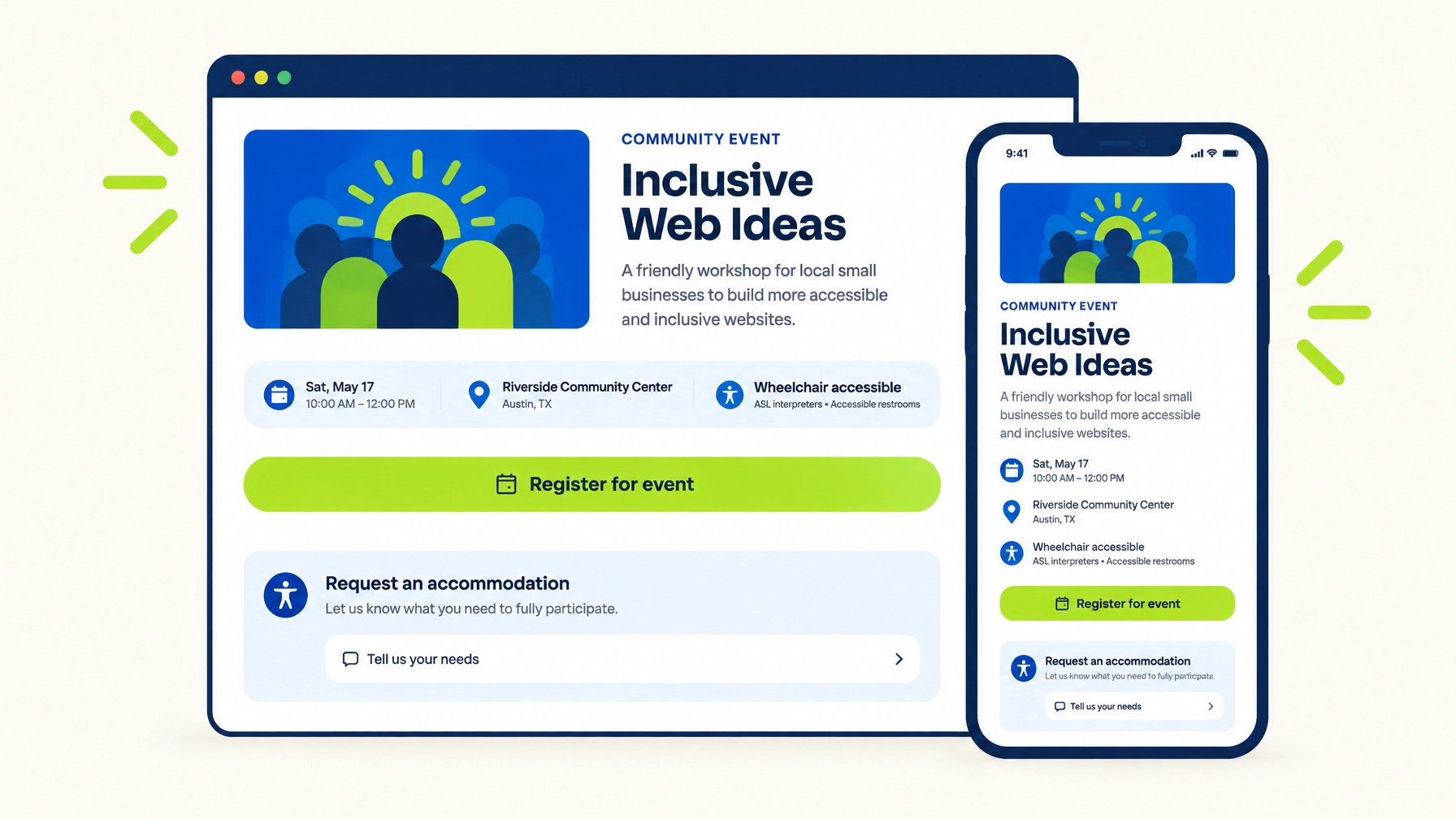

Publication Details
- **Planned publication date:** Wednesday, November 11, 2026
- **Category:** Website Accessibility
An event page is more than a digital flyer. It helps people decide whether they can attend, understand what to expect, request support, and complete registration. If essential details are hidden in an image, the form is difficult to use, or the venue information is vague, a promising event can become unnecessarily hard to access.
The good news: many improvements are straightforward. Put important information in readable text, make the registration process usable with a keyboard and assistive technology, offer a clear way to request accommodations, and check the experience on a phone.
Put essential event details in real text
Event posters are useful for promotion, but they should not be the only place where people can find the date, time, address, or registration instructions. Text on a poster may be difficult to enlarge, copy into a calendar, translate, or read with assistive technology.
On the event page, include the basics in regular web text:
- Event name and a brief description
- Full date, start and end times, and time zone
- Venue name and street address, or online access instructions
- Cost, registration deadline, and cancellation or refund information, when relevant
- A schedule or agenda, if one is available
- A contact method for questions
Be specific. “Doors at 5:30 p.m.; program begins at 6 p.m. Central Time” is more useful than “Join us Wednesday evening.” If the event is online, explain what platform attendees will use, how they will receive the access link, and whether they need to install anything or create an account.

Describe the venue, not just its address
A street address tells people where a venue is, but not whether it will work for them. Share practical access details you have verified, such as:
- Step-free entrance and elevator availability
- Accessible parking and the route from parking or public transit
- Accessible restrooms and seating information
- Whether service animals are welcome
- Any relevant environmental details, such as outdoor terrain or loud music
- How to ask for help upon arrival
Avoid making broad promises that you have not confirmed. If you are still checking a detail, say so and provide a contact people can use to ask. Cornell’s [event publicity and pre-registration guidance](https://accessibility.cornell.edu/event-planning/event-publicity-pre-registration/) offers examples of the kinds of event and venue information that can help attendees plan.
Make registration clear and manageable
Registration is part of the event experience, not a separate technical chore. If someone cannot understand a field, move through the form, correct an error, or complete payment, they may not be able to attend.
Keep the form focused. Ask only for information you need, label each field clearly, and explain any required format or deadline before people submit. Do not rely on placeholder text, the faint example text inside a box, as the field’s only label. It disappears as soon as someone starts typing and may not be announced as a label by assistive technology.
The W3C Web Accessibility Initiative explains how to provide [clear form instructions](https://www.w3.org/WAI/tutorials/forms/instructions/), including instructions for required fields and expected formats. In practice, that means:
- Use a visible, meaningful label for each input.
- Mark required fields in text, and explain what the marker means.
- Group related questions under clear headings.
- Give errors in plain language and identify the field that needs attention.
- Make sure the form and payment steps can be used with a keyboard.
- Provide a clear confirmation after successful registration.
If you use an outside ticketing or registration service, test the full process, not just the event page. Check the embedded form, payment screen, error messages, and confirmation. A vendor’s accessibility statement is useful information, but it does not replace testing the actual attendee experience. The [SIGACCESS guide to accessible virtual conferences](https://www.sigaccess.org/accessible-virtual-conferences/) also recommends checking registration tools and offering an alternative when a process is not accessible.

Make accommodation requests easy to find
People should not have to search through an FAQ, or disclose a diagnosis, to explain what would help them participate. Include an accommodation option in registration and provide a separate contact on the event page.
For example:
**Would an accommodation help you participate?** Tell us what would make the event more accessible for you. You can also contact [event contact name or team] at [email address] or [phone number] to discuss your request.
You can list examples (such as captions, sign language interpreting, accessible seating, materials in another format, or assistive listening) but include an open text field too. The list is a starting point, not a limit. Ask about the access need, not for medical details that are not needed to arrange the request.
Tell people when you would like to hear from them so you have time to plan, and explain how they can reach you if they miss that date. A deadline is a planning aid, not a reason to ignore a late request. Respond promptly, discuss options when needed, and give the person’s stated preference serious consideration. Cornell’s [guidance on responding to accommodation requests](https://accessibility.cornell.edu/event-planning/event-publicity-pre-registration/) emphasizes focusing on the access need and communicating with the attendee.
Offer calendar links with descriptive names
A calendar link can save attendees time, but make sure it is easy to recognize and use. Label it with the action and event name, such as **“Add the November community workshop to your calendar”** or **“Download the event calendar file.”** Avoid relying on a calendar icon by itself or vague labels such as “Click here.”
If you offer a downloadable calendar file or links for different calendar services, check that the event title, date, start and end times, time zone, and location or meeting link are correct. Keep the complete details on the event page too. The calendar option should be a convenience, not the only place to find key information.
Design event listings for mobile
Many people will discover your event or register from a phone. Make the event page and any event-listing cards work at narrow screen widths, with text that remains readable and controls that are easy to tap.
For a list of events, show the date, name, location or format, and a clear link to each event’s details. Do not make people rely on a color-coded calendar to identify what is happening. If you use a visual calendar, provide an equivalent list of events that can be read and navigated as text. Test the page by zooming in and by moving through it with a keyboard as well as tapping through it on a phone.

Use WCAG as a practical guide, not a promise
The [Web Content Accessibility Guidelines (WCAG)](https://www.w3.org/TR/WCAG22/) provide criteria for making web content more accessible. For event pages, useful areas to review include keyboard access, understandable labels and instructions, clear links, and text alternatives for meaningful images.
WCAG is a guide for web content; it does not tell you whether a physical venue is accessible, whether every accommodation has been arranged, or whether a particular event meets every legal obligation. Automated scans can help identify some technical issues, but they cannot fully judge whether a registration flow is understandable or whether venue details answer attendees’ real questions. Pair automated checks with hands-on testing and, where possible, feedback from people with disabilities.
Twist Web Studio builds accessibility into website design from the start. If you are updating an existing site, our [accessible web design services](https://www.twistwebstudio.com/services/accessible-web-design) and [website accessibility audit](https://www.twistwebstudio.com/services/website-accessibility-audit) can help you identify practical next steps.
A Wednesday checklist for your event page
Use this quick review whenever you publish a new event or update an existing listing:
- [ ] Confirm the date, start and end times, time zone, location, and online joining instructions.
- [ ] Check that essential details appear as web text, not only in an image or poster.
- [ ] Add specific venue access information and a contact for questions.
- [ ] Complete a test registration, including any payment and confirmation steps.
- [ ] Check that registration fields have clear labels, instructions, and understandable error messages.
- [ ] Add a visible accommodation request option and direct contact information.
- [ ] Test each calendar link and confirm its event details are accurate.
- [ ] View the page on a phone and check that links and buttons are easy to use.
- [ ] Navigate the page and registration using only a keyboard.
- [ ] Ask someone to review the page or process with assistive technology, if available.
Inclusive event promotion starts with clear information and a workable path from “I’m interested” to “I’m registered.” A few careful checks on Wednesday can help more people decide whether to attend, and make it easier for them to do so.